15+ optimization engines. 170+ features. From input latency to Wi-Fi stability — Padvora Vortex is the all-in-one PC optimization and game booster toolkit built for gamers who play to win.
Other PC optimization tools give you one feature and charge you separately. Padvora Vortex combines everything a competitive gamer needs — game booster, Wi-Fi optimizer, input latency reducer — into a single application.
All-in-One Suite
15+ tools that competitors sell separately — Game Booster, Smart Optimizer, Hardware Monitor, CPU Benchmark, System Cleaner, Network Optimizer, Wi-Fi Anti-Jitter, Input Latency Optimizer, Nuclear Tweaks & more — bundled in one license.
Kernel-Level Power
Direct access to Windows internals via P/Invoke, Win32 APIs, ETW tracing, and PowerCfg. Not a wrapper — real system-level optimization that generic tools can't touch.
100% Anti-Cheat Safe
No code injection. No memory modification. No kernel drivers. Only Windows-native APIs and built-in system commands — fully compatible with EAC, Vanguard, BattlEye & FACEIT.
Built for Power Users
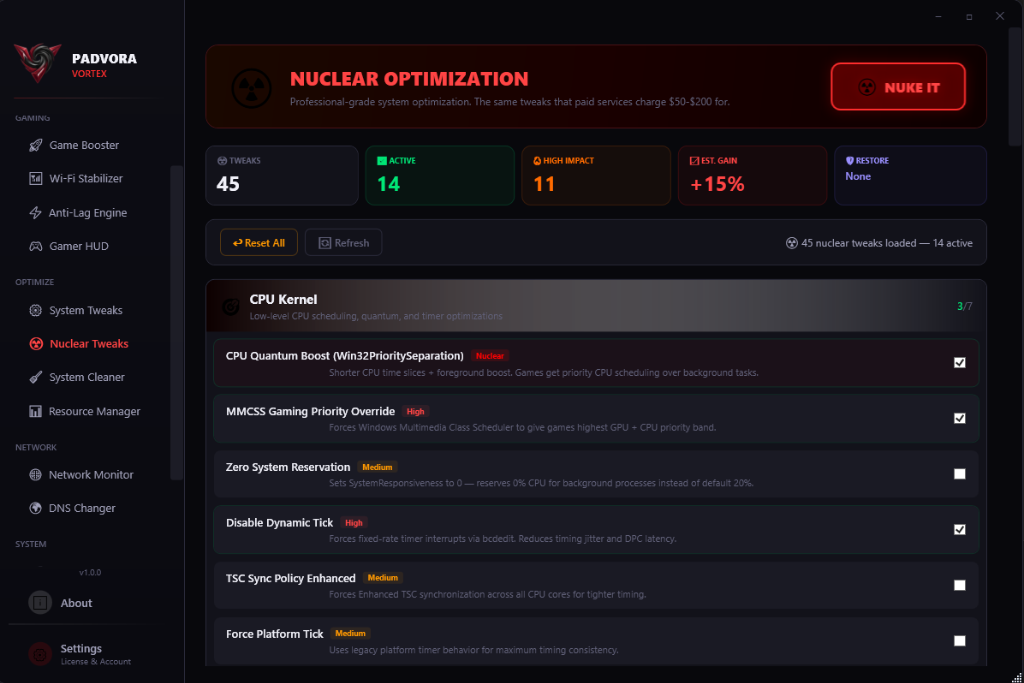
45 Nuclear Tweaks across 8 categories — CPU kernel optimizations, GPU MSI mode, HAGS control, network stack tuning, timer resolution to 0.5ms, and Windows debloat options.
ARSENAL
15+ PC Optimization Engines
Every tool a competitive gamer needs to boost FPS, reduce latency, and optimize Windows. Zero bloat, maximum performance.
Game Booster
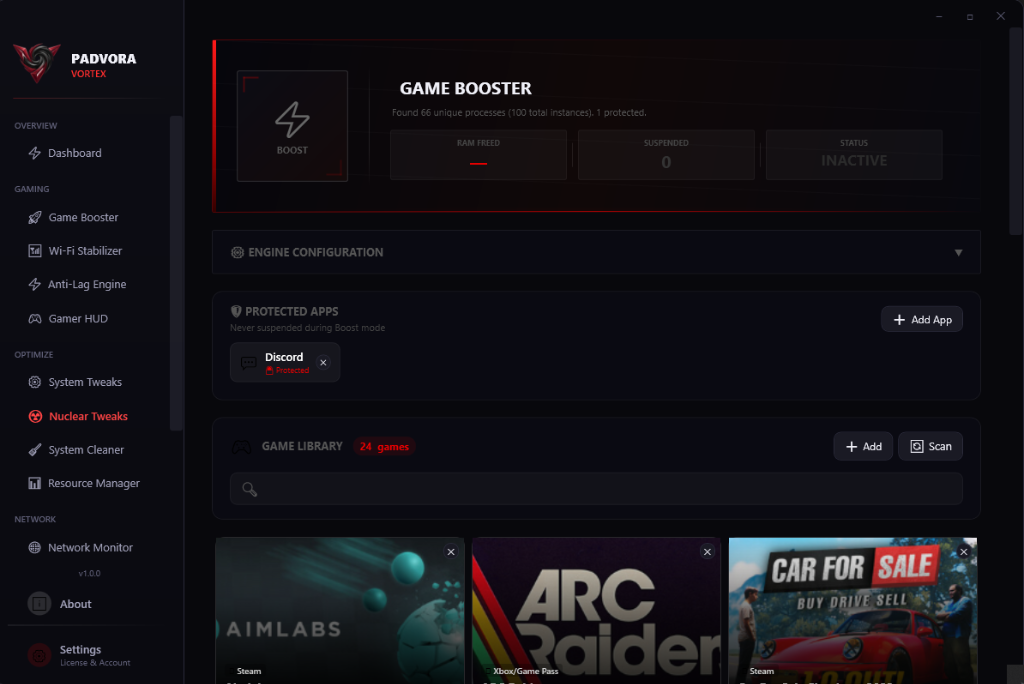
Auto-detects games across Steam, Epic, Riot, GOG, Battle.net, Xbox & Game Pass. Suspends background processes via NtSuspendProcess, purges RAM, sets GPU/CPU priority to your game.
+30% FPS
9-Stage Smart Optimizer
Working set trim, bloatware deprioritization, service management, DNS flush, safe temp cleanup, standby memory purge, file system cache flush, visual effects reduction, and forced GC.
Input Latency Optimizer
Timer resolution to 0.5ms, HAGS control, Nagle disable, MMCSS tuning, core parking, USB power management — 11 techniques with a composite latency score.
Wi-Fi Gaming Stability Engine
Anti-jitter nuclear lock, DSCP 46 QoS marking, 11 Wi-Fi optimizations, live ping charts, auto game detection, and a 4-layer power-outage-proof safety system.
0.2ms Jitter
45 Nuclear Tweaks
CPU kernel optimizations, GPU MSI mode, TDR timeout, network stack tuning, memory & storage tweaks, power plan unlock, Windows debloat — with real-time state detection and one-click apply/rollback.
8 Categories
Hardware Monitor & CPU Benchmark
Per-core CPU monitoring, multi-GPU sensors, professional CPU benchmark with 8-tier scoring (Low End to Legendary), device class detection (Ultra-Low to Enthusiast).
Process Manager
CPU/RAM limits via Win32 Job Objects, affinity control, priority tuning, process profiles, safety labels, and global CPU throttle.
Real-Time Dashboard & Gaming Overlay
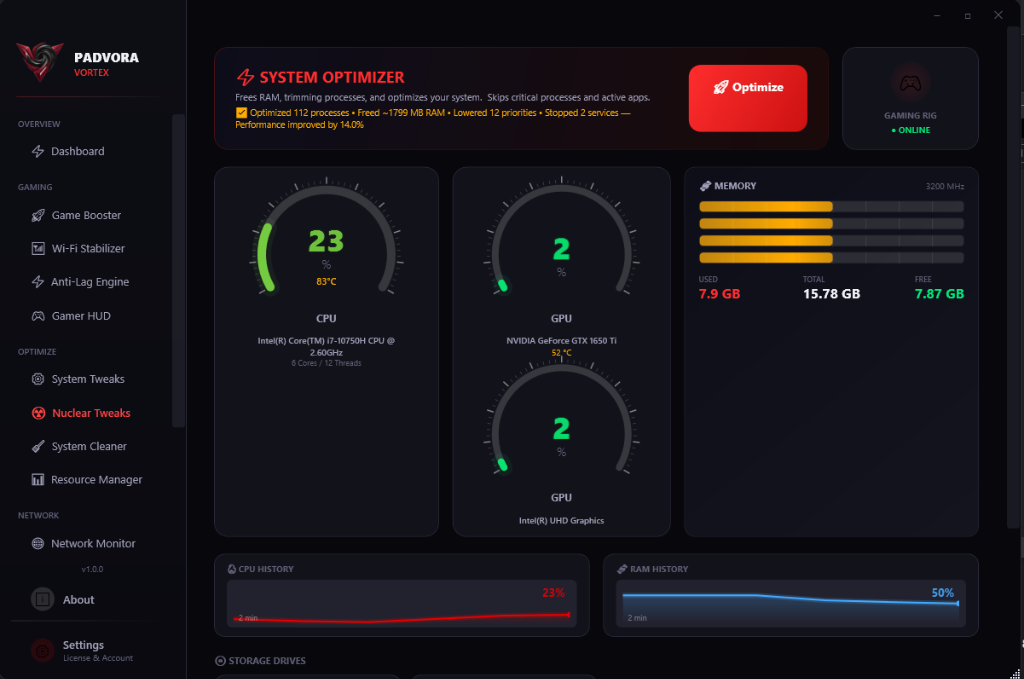
Live CPU, GPU temperature, RAM monitoring with sparkline charts, S.M.A.R.T. disk health, multi-GPU tracking. Plus a transparent FPS overlay with CPU/GPU/RAM metrics during gameplay.
15+ Tools · 1 App
DNS Shield
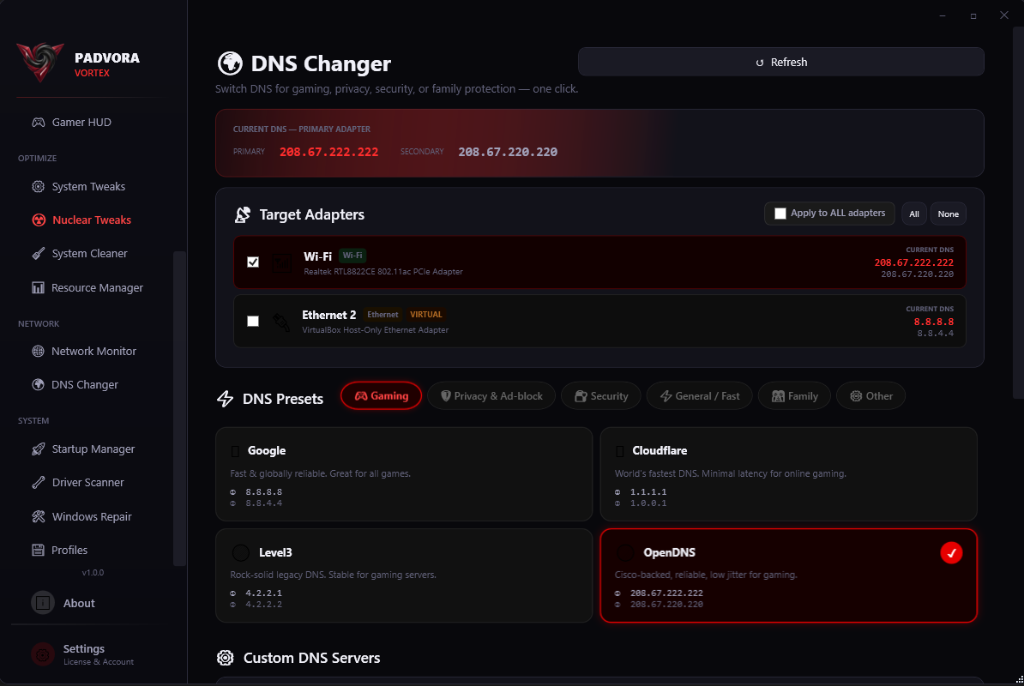
20+ presets (Gaming, Security, Privacy), per-adapter DNS switching, custom primary/secondary, built-in diagnostic terminal with network commands.
Network Monitor & QoS
Live bandwidth tracking, per-app network usage, active connections monitoring, adapter insights with real-time upload/download speeds.
20 repair tools across 7 categories — SFC, DISM, network reset, DNS flush, Windows Update repair, and restore points.
IN ACTION
See Padvora Vortex In Action
Professional-grade PC optimization interface designed for power users. Dark gaming aesthetic with real-time system monitoring and performance data visualization.
System Dashboard
Real-time CPU, GPU, RAM monitoring with sparkline history charts, S.M.A.R.T. disk health, multi-GPU tracking. 9-stage Smart Optimizer with detailed results cards, device classification, and performance tips for low-spec devices.
Game Booster
Auto-detects games from 7+ platforms with cover art. One-click boost suspends background processes and maximizes game resources.
DNS Changer
20+ DNS presets for Gaming, Security, Privacy. Per-adapter configuration with one-click switching.
System Cleaner
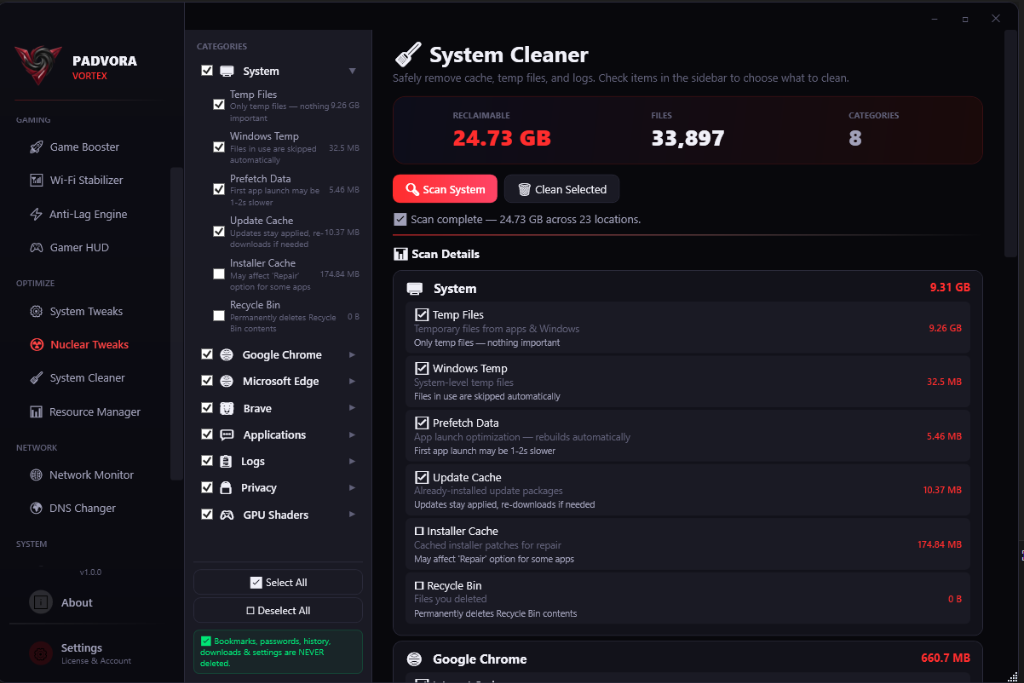
Deep scan across 10 categories — browsers, GPU shaders, system temp, app caches. Smart defaults protect your bookmarks.
Nuclear Tweaks
45 kernel-level tweaks across 8 categories. One-click apply with real-time state detection and instant rollback.
COMPARISON
Padvora vs The Competition
Others charge you separately for each tool. We bundle everything.
Feature
Padvora Vortex
Razer Cortex
CCleaner Pro
ExitLag
Process Lasso
Game Booster
✓
✓
✕
✕
✕
9-Stage Smart Optimizer
✓
✕
✕
✕
✕
System Cleaner
✓
✕
✓
✕
✕
Hardware Monitor + Benchmark
✓
✕
✕
✕
✕
Network Optimizer
✓
✕
✕
✓
✕
Process Manager
✓
✕
✕
✕
✓
Wi-Fi Anti-Jitter
✓
✕
✕
✕
✕
Input Latency Optimizer
✓
✕
✕
✕
✕
Nuclear Tweaks (45)
✓
✕
✕
✕
✕
Driver Scanner
✓
✕
✕
✕
✕
FPS Overlay
✓
✓
✕
✕
✕
Memory Cache Flush
✓
✕
✕
✕
✕
Device Class Detection
✓
✕
✕
✕
✕
Price
$7.99/mo
Free*
$24.95/yr
$6.50/mo
$31.95
SETUP
Get Started in 3 Steps
01
Download & Install
One installer, under 40MB. No ads, no toolbars, no bundled software. Install in under 30 seconds.
02
Activate License
Enter your license key and Discord username. Instant HWID-bound activation with encrypted local caching.
03
Play & Dominate
Hit boost and play. Padvora optimizes your processes, network, latency, and memory while you focus on winning.
PRICING
One Tier. Full Power. Pick Your Duration.
No feature gating. No "Pro" upsells. Every plan includes all 15+ tools and 170+ features.
Yes. Padvora uses only Windows-native APIs (PowerCfg, netsh, registry), P/Invoke to documented kernel functions, and WMI queries. Zero code injection, no memory modification, and no kernel drivers. Fully compatible with Easy Anti-Cheat, Riot Vanguard, BattlEye, and FACEIT.
Will it actually improve my FPS?
The Game Booster suspends background processes via NtSuspendProcess, purges RAM working sets, and assigns GPU/CPU priority. Combined with 20 System Tweaks and 45 Nuclear Tweaks, users typically see 15-30% FPS improvement depending on their system baseline.
How does the Wi-Fi Anti-Jitter Lock work?
The #1 cause of Wi-Fi jitter in games is Windows' WLAN AutoConfig service continuously scanning for networks. Our Nuclear Lock disables this scanning while keeping your connection active. It includes a 4-layer safety system — including a scheduled task that survives even a hard power loss.
Can I undo all changes?
Every optimization has a one-click "Restore Defaults" option. System Tweaks, Nuclear Tweaks, Wi-Fi optimizations, Input Latency settings — all can be individually toggled or bulk-restored. System Repair also creates restore points before running any repairs.
How many devices can I use per license?
Each license is HWID-bound to one device. If you need to transfer your license to a new machine, contact our support team on Discord for a HWID reset.
Will Padvora slow down my PC?
No. Padvora Vortex uses less than 0.1% CPU and under 30MB of RAM when idle. When the Game Booster is active, it actually frees resources by suspending non-essential processes. Net result: your PC runs faster with Padvora.
Stop Losing to Lag. Get Padvora Vortex.
170+ features. 15+ tools. One PC optimization suite. Join the gamers who refuse to settle for stock Windows performance. Boost FPS, reduce ping, stabilize Wi-Fi — all with Padvora.